
Table of Contents
Macintosh Home Automation With XTension
 XTension has been automating the homes of Macintosh users since 1996! XTension provides more connections to more devices and protocols than any other comparable piece of software. Want to use an inexpensive X10 motion sensor to trigger ZWave lights? Do you want to integrate a kickstarter based sensor you bought into from it’s IFTT page and have it control the Zigbee lamp colors to alert you of a fridge outage? Are you a Maker who wants to experiment with Arduino based sensors or interested in the mySensors.com devices? XTension lets you tie all these different things together in one place.
There are so many home automation and monitoring devices out there! Many have iPhone control programs, others have web based control or online engines to build simple logic. When you’ve outgrown the dropdown menu of approved actions and are ready to link all the different systems together you need XTension.
XTension provides a standardized interface to all the different devices that we support. Using Apple’s standard AppleScript scripting language it’s just as easy to do simple automation tasks as it is with popup menus of actions but you’re not limited to the contents of those popups. Once you’re ready to move beyond the simple abilities provided by other tools XTension provides everything you need to take your home automation to the next level. Automation is more than just having an on/off switch on your phone. It’s having a system that knows what you need so that you don’t have to pull out the iPhone all the time. The problem has always been that it’s not possible to deliver a system that will do this for everybody out of the box, you have to be interested in being an active participant in it and thinking about what it should do. Whether you just want to manage some lights at sunset and keep the kids lights off when they aren’t in their rooms, or if you’re interested in getting under the hood to have better control over what you’re system does and tweaking it to your lifestyle and desires then XTension will provide you the tools.
XTension doesn’t need a “cloud” and so can operate remotely where there is no internet connection. Whenever possible it makes local connections to the devices you are controlling rather than going up to the cloud and back down again. This means faster and more reliable control without the latency of going up to the internet and coming back down for each command. This also means that it will keep running when your internet goes down and won’t slow down or hang up when the kids are streaming NetFlix.
XTension has best of breed web based remote control systems with separate setups for desktop browsers and mobile devices. While basic functionality for unit control is built in, the pages are fully customizable by you with many control types to choose from so that you can build the best interface for your systems just the way you want it. Build the interface by dragging and dropping controls in the Views inside the app and then deploy these interfaces to both the desktop web app or the mobile platform. To use these web interfaces from outside of your local network you will want a dynamic DNS account and some knowledge of configuring your router/airport with NAT to pass those connections back to your XTension server. XTension supports industry standard SSL web connections over these interfaces for safety and security.
GET THE LATEST VERSION!
Download
- For database functions, motion reports and graphing XTdb: Database and Graphing for XTension
Purchasing
- XTension is fully functional in demo mode. You’re limited to 10 units in the database but can otherwise test any connection or device and get to know the app. There is no time limit and no other functionality is hobbled.
- When you’re ready to purchase XTension or XTdb please visit the Purchasing Page
Support
- Definitely join our Mailing List! We have a very active user community and you’ll get lots of suggestions and info from us and the users there. Our users are the best resource! The list is a friendly and open resource happy to provide support to both the new user with simple startup questions or the advanced user with complex automation systems to integrate.
- You can also contact the authors directly via email at james ampersand for no spam at sentman.com
Whats New?
A full list of changes and additions is always available on the current release page
- System Info Plugin Disk Space and Usage, Network Traffic and Error monitoring.
- Zadarma Plugin send SMS messages via the Zadarma service
- HDMI Matrix Switchers from No Hassle AV, 4x4 device plugin and 8x8 device plugin
- Outgoing connection plugin for Control By Web devices that does not tie up the inter device communications channel.
- New Video Integration now adds timestamps and event messages to the recorded video closed captioning.
- New Video Integration System in 9.5!
- New Sonos plugin in Alpha for controlling Sonos devices.
- Weatherflow / Tempest Weather Stations plugin promoted from beta to 1.0 release.
- Genmon Generac Monitoring Plugin for connecting to the excellent open source Generac Generator monitor.
- rtlamr for receiving many smart meter updates via an SDR.
- rtl_433 plugin for receiving just about any wireless 433 mhz sensor and many others.
- Wiz Connected Wifi Bulbs and Devices from Phillips.
- CalDAV Calendar Plugin for CalDAV and Apple Calendar servers.
- Wiznet Configurator Support for Catalina, Big Sur and Apple Silicon.
- Plugin for HTML Server Events
- Home Kit and Siri support via the Homekit Plugin
- New TP-Link and Kasa device support plugin.
- Lutron Caseta and RadioRA2 support via the Lutron Plugin
- Raspberry Pi GPIO remote control via the Pi GPIO Plugin
- New MaxSonar Plugin with glitch filter and Schmitt Trigger processing
- New mini-tutorial for creating house “modes” and working with event groups.
- HTML Access Tutorial for controlling any unit via HTML requests.
- Updated “recent event” display example.
Interface Examples
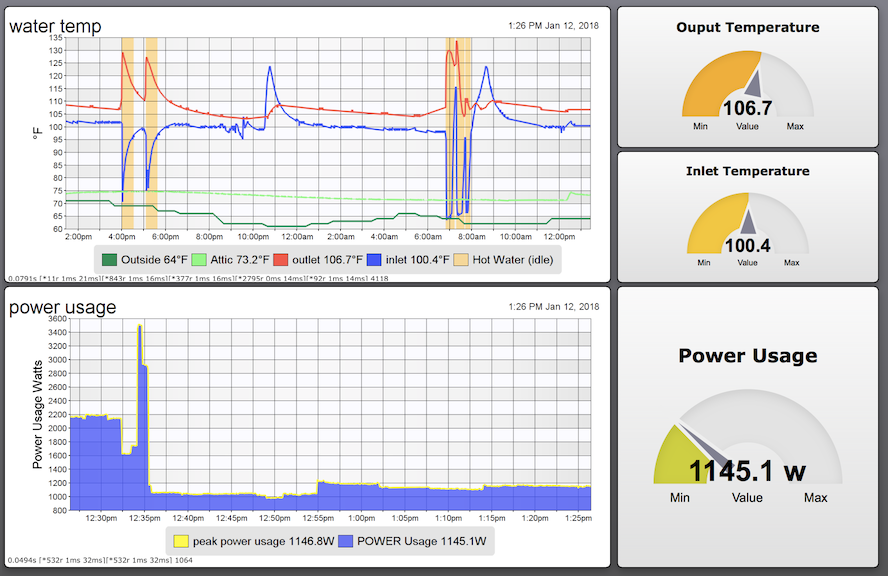


More Than Remote Control
It's easy to build controls for your lights over there from over here. XTension can do this and so much more. Simple or complex scripts can be attached to any action or change in your list of units. The response can be simple, (when motion is detected on the porch turn on the porch lights for half an hour), or complex, (when motion is detected on the porch and it's dark out, turn on the lights for 30 minutes, if we're not home then take a picture from the camera in the driveway and send it via email to my iPhone email account and turn on the kitchen light for 10 minutes to make it look like someone is at home) by supporting the Apple Script language your scripts can be as simple or complex as you like. Start with the basics and add on and never be limited to the actions we happen to think of and stick into a popup menu of capabilities. You need not fear AppleScript! The simple actions are as simple with any other app and the impossible or impractical with menu driven action systems just require a little more thought.
Getting Started
If you're new to XTension please start at the Getting Started page, otherwise use the index or the search field to find what you're looking for.
This wiki and XTension are the work of Michael Ferguson and James Sentman